A live map of the farm
Draw your rooms and printers the way they are laid out. Each card shows the job, progress, nozzle and bed temperature, the filament loaded in the AMS and the time left. Finished prints raise a “clear the bed” prompt.
Products
Watching printers is the easy part. The real work is knowing which order goes on which printer, with which filament, across how many plates, and what the scrap and cost turn out to be. Additra3D runs that whole flow, from order to profit.
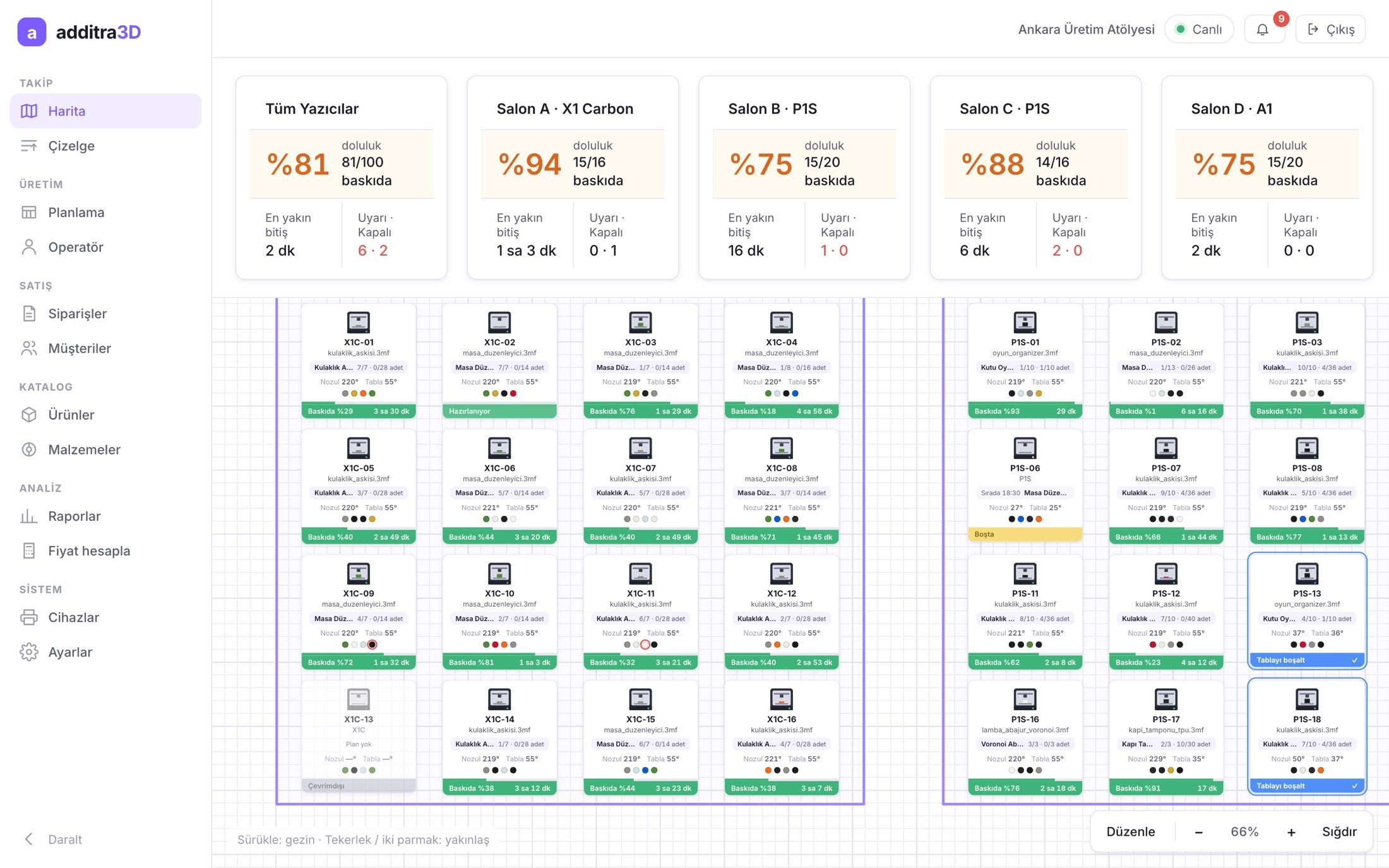
Draw your rooms and printers the way they are laid out. Each card shows the job, progress, nozzle and bed temperature, the filament loaded in the AMS and the time left. Finished prints raise a “clear the bed” prompt.
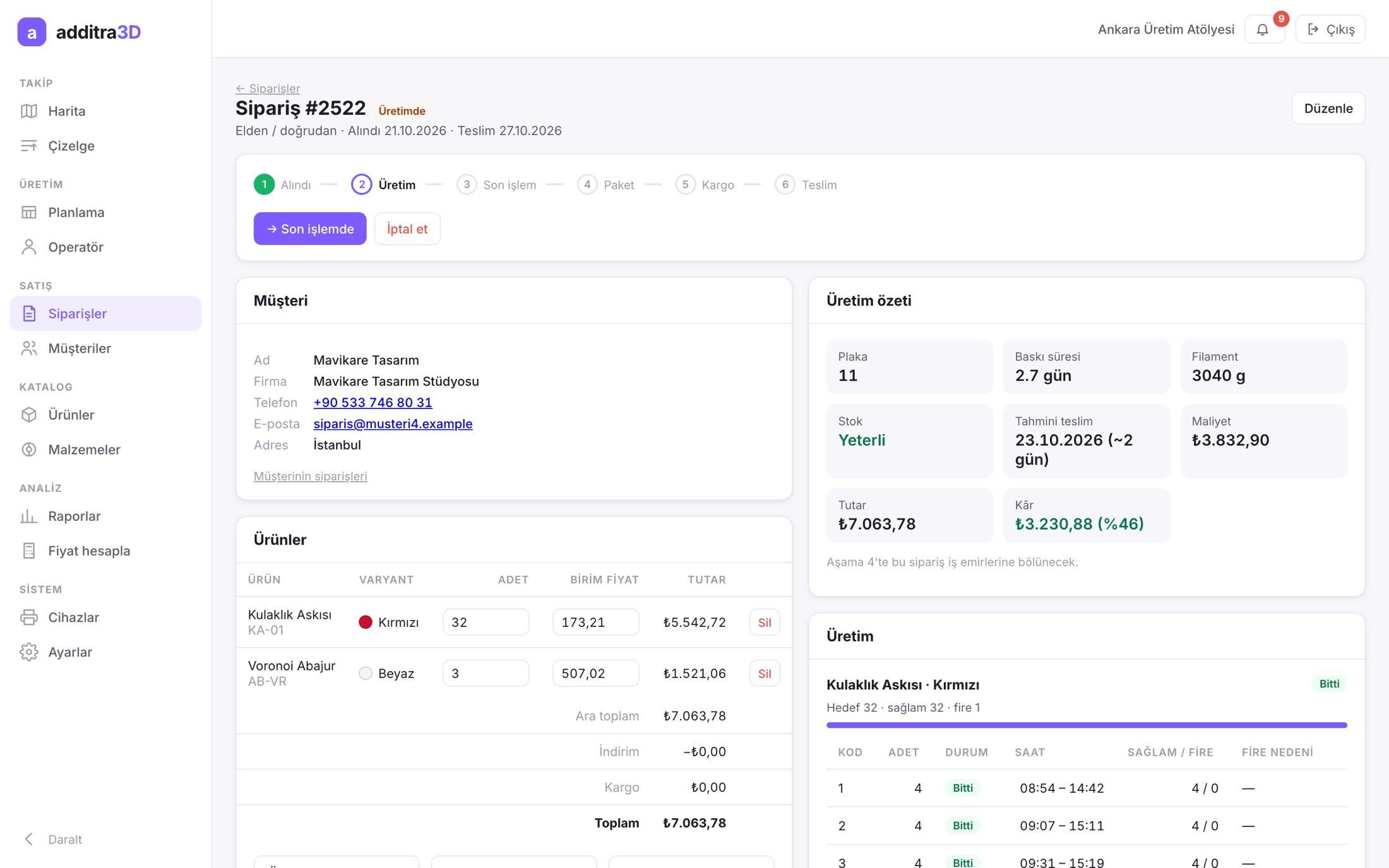
When an order goes into production, every line is split into plates and print jobs automatically. Filament needs, total time, an estimated delivery date and cost are worked out as you enter the order.
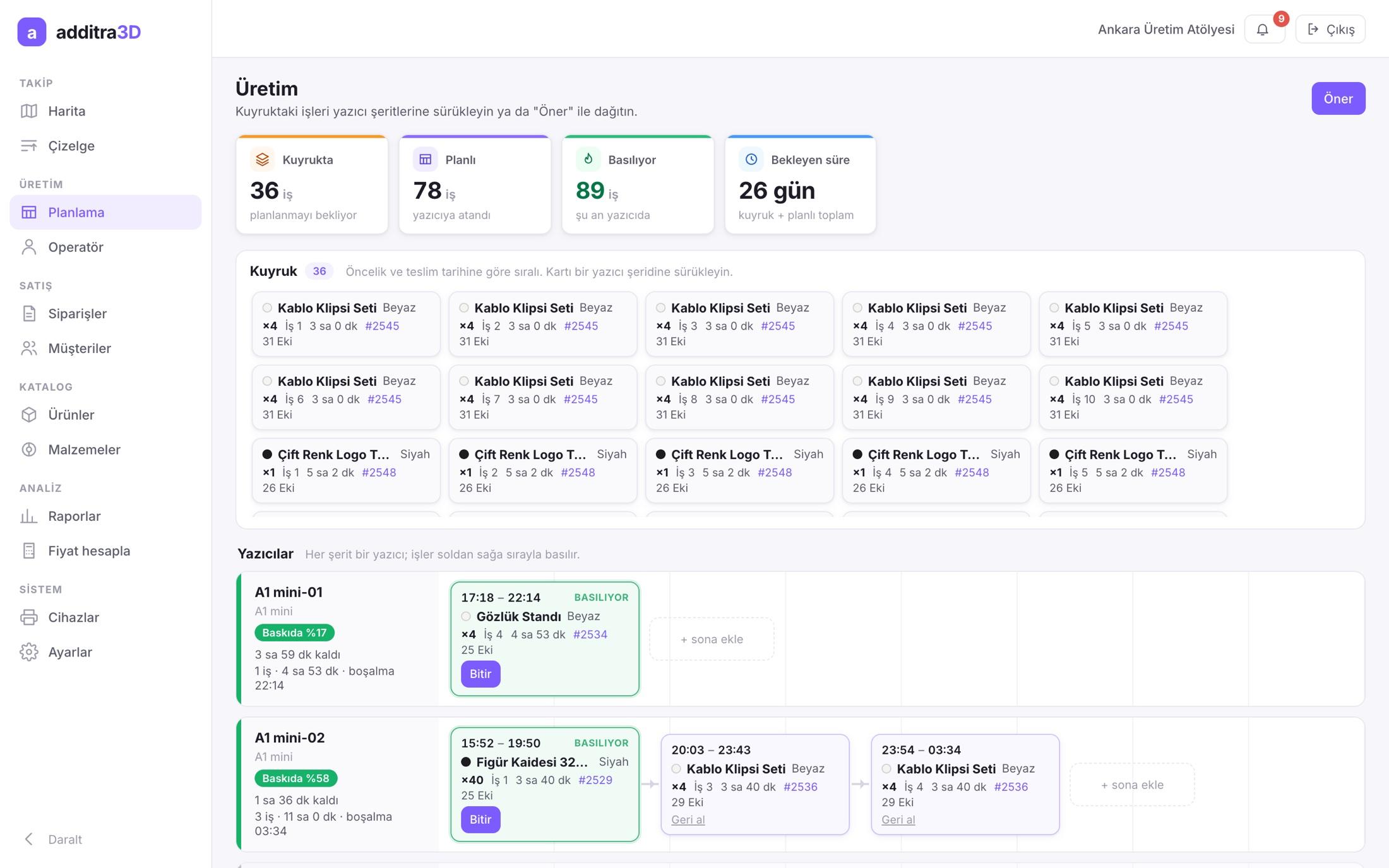
Drag queued jobs onto printer lanes, or press “Suggest”: the system weighs model compatibility, the filament already loaded and which printer frees up first.
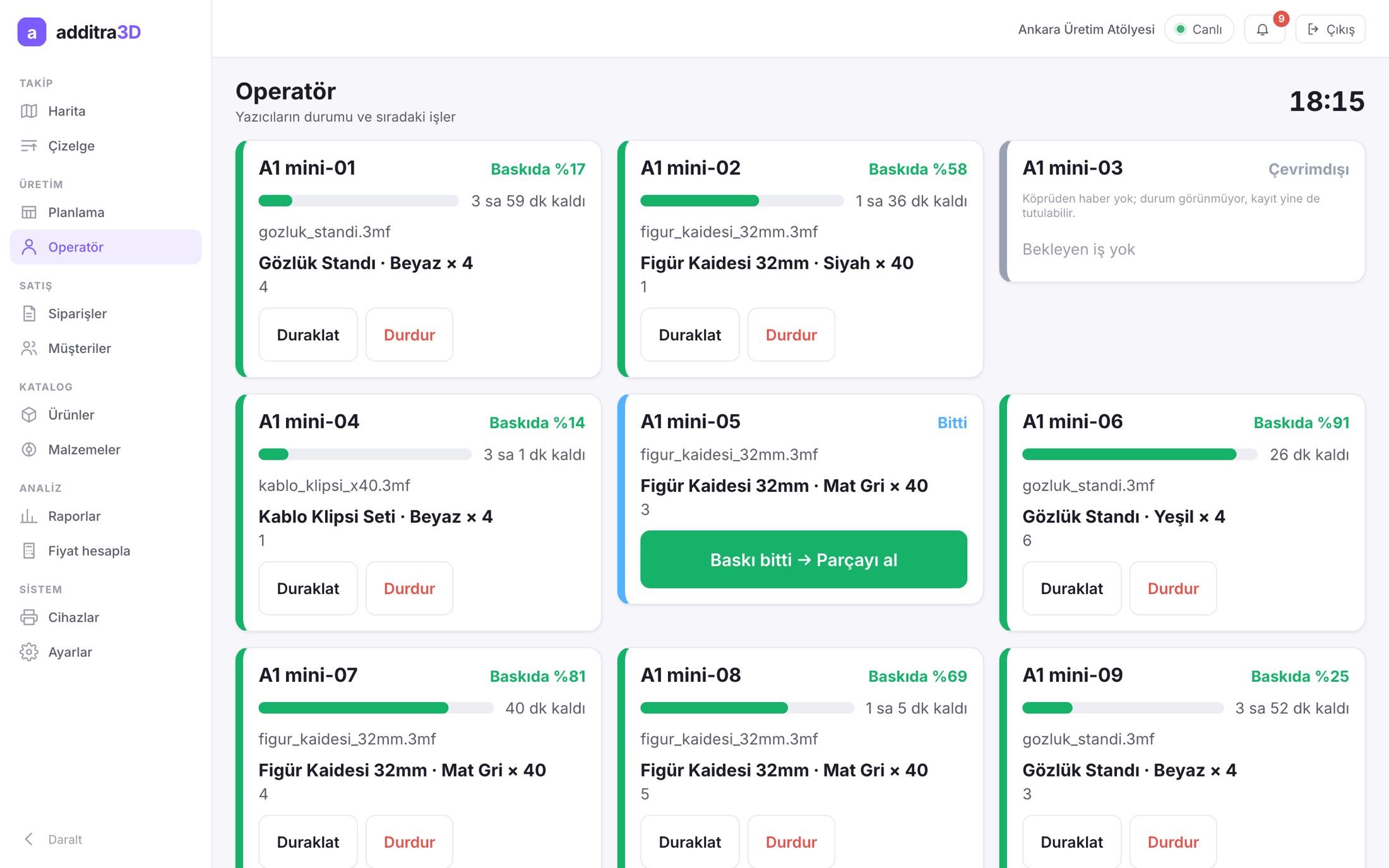
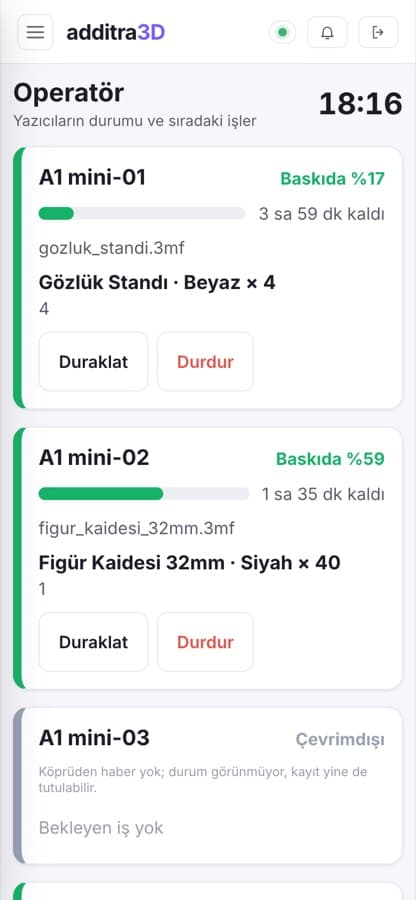
On a tablet or phone, operators see the next job and record good and scrapped parts in one step when a print ends. Scrap automatically queues a reprint for the missing quantity.
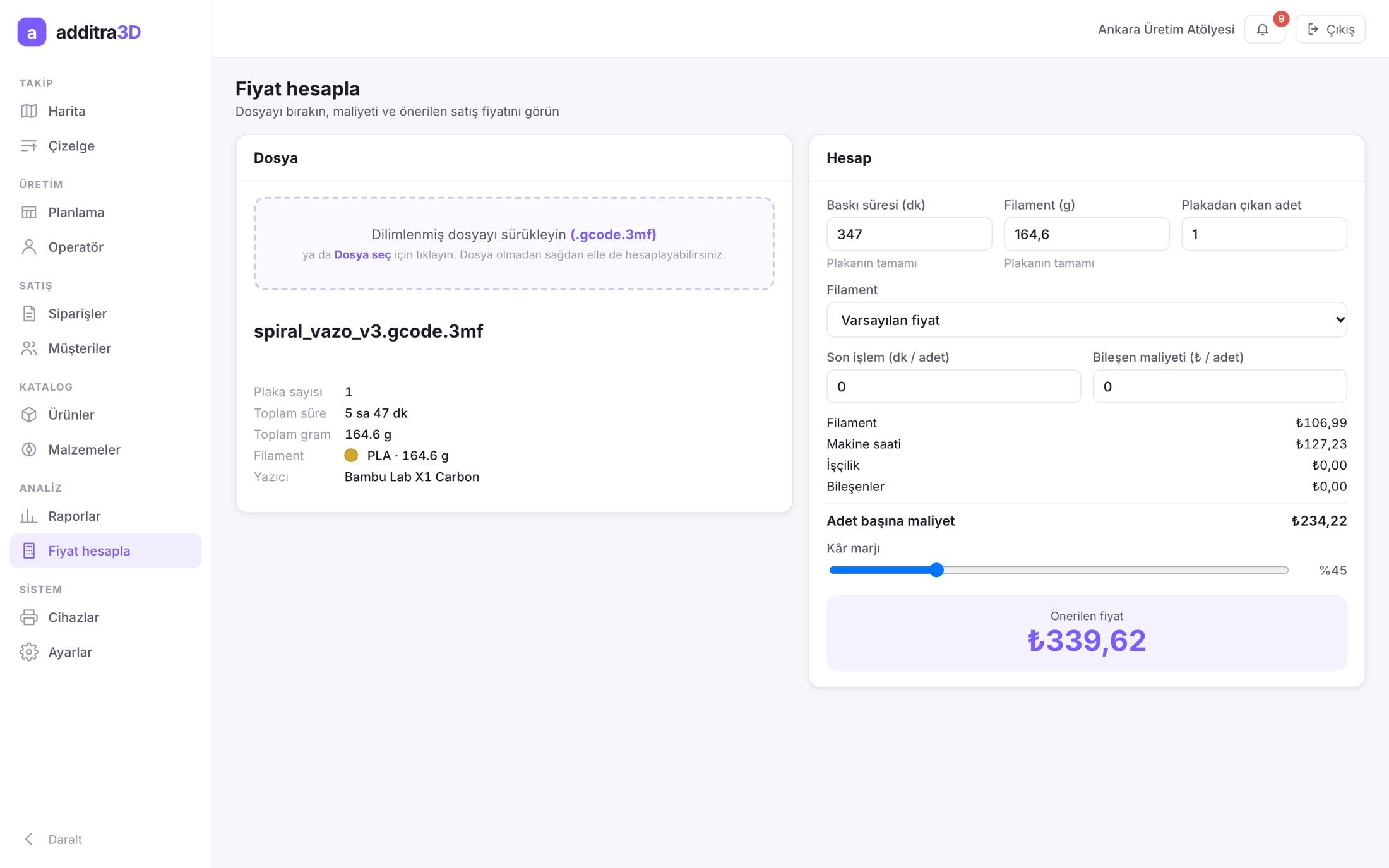
Drop in a sliced .gcode.3mf file and the time, grams and filament type are read for you. Filament, machine hours, labour and components add up to a cost per part and a suggested price for your target margin.
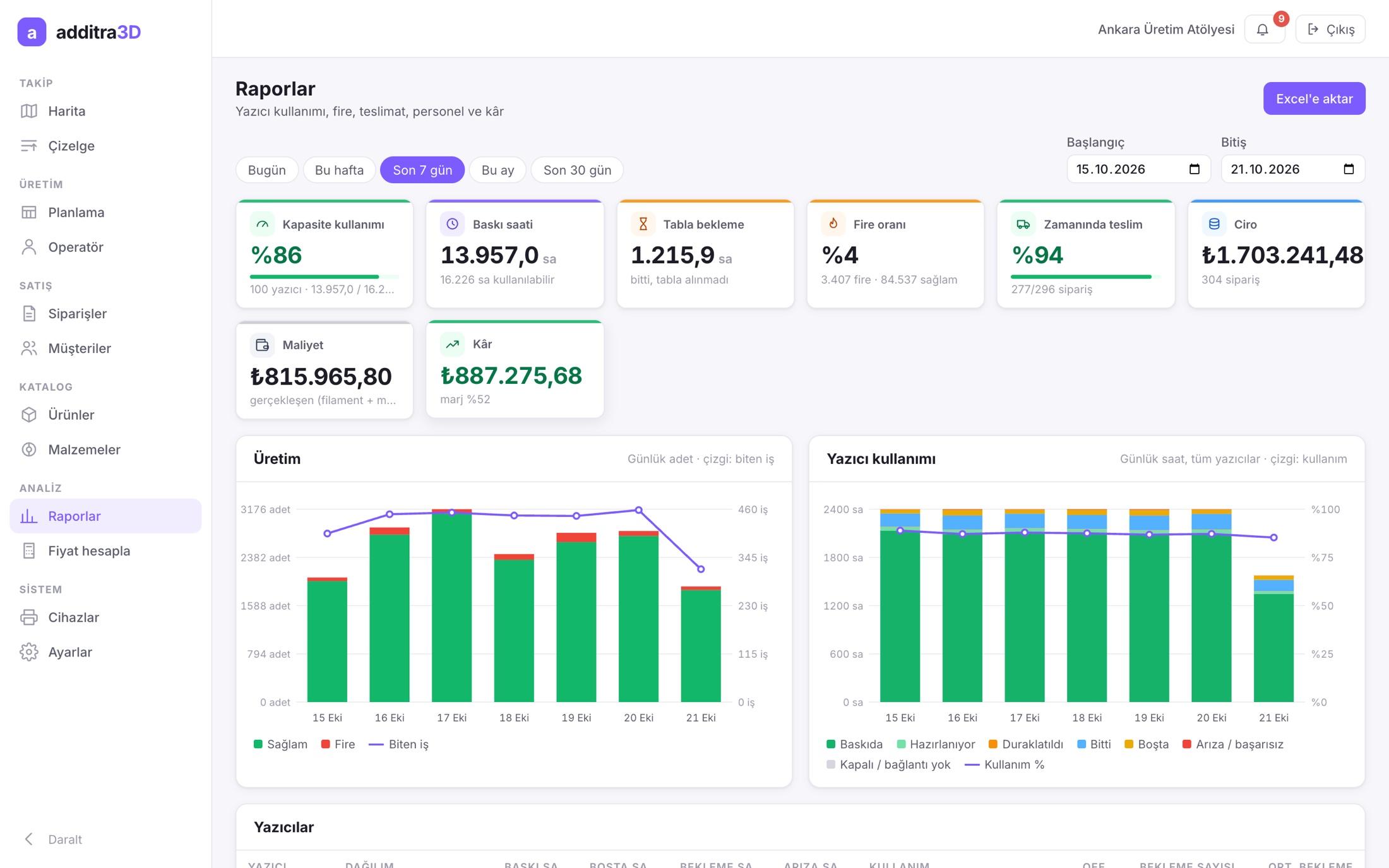
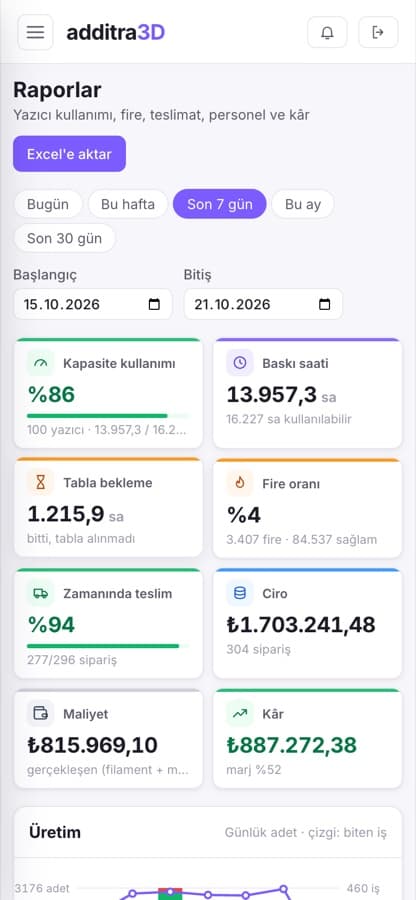
Capacity used, print hours, time beds sat waiting, scrap rate, on-time delivery, revenue, cost and profit, broken down by printer and by person, with Excel export.
Tell us how many printers you run, where your orders come from and where you keep track of things today, and we will plan the setup together.